
Thursday, June 4, 2026

SCCM Client status = No
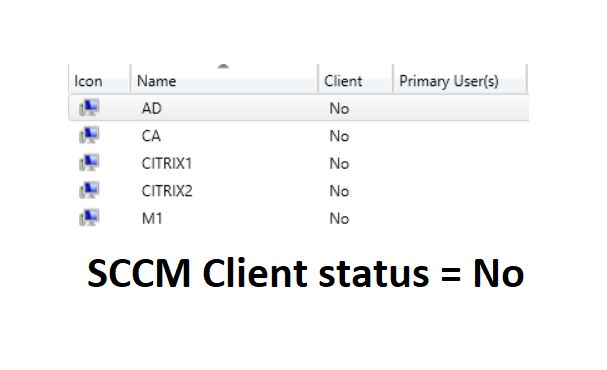

SCCM Client status = No

Issue:

Few Windows 10 clients the other day (not through SCCM) and noticing on a few of them that they do not show up in the console as having the client installed.  Client = No. 

To verify:

ccmsetup.log and everything states is finished successfully.

clientidmanagerstartup.log Failed to open to WMI namespace ‘\\.\root\ccmvdi’ (8007045b)

Client Location log

<![LOG[Current AD forest name is xyz.demo.com, domain name is xyz.demo.com]LOG]!><time=”10:01:46.972+300″ date=”10-11-2017″ component=”ClientLocation” context=”” type=”1″ thread=”3676″ file=”lsad.cpp:906″>
<![LOG[Domain joined client is in Intranet]LOG]!><time=”10:01:47.003+300″ date=”10-11-2017″ component=”ClientLocation” context=”” type=”1″ thread=”3676″ file=”lsad.cpp:1132″>
<![LOG[Current AD forest name is xyz.demo.com, domain name is xyz.demo.com]LOG]!><time=”10:02:02.832+300″ date=”10-11-2017″ component=”ClientLocation” context=”” type=”1″ thread=”5432″ file=”lsad.cpp:906″>
<![LOG[Domain joined client is in Intranet]LOG]!><time=”10:02:02.832+300″ date=”10-11-2017″ component=”ClientLocation” context=”” type=”1″ thread=”5432″ file=”lsad.cpp:1132″>
<![LOG[Current AD forest name is xyz.demo.com, domain name is xyz.demo.com]LOG]!><time=”10:04:03.936+300″ date=”10-11-2017″ component=”ClientLocation” context=”” type=”1″ thread=”1100″ file=”lsad.cpp:906″>
<![LOG[Domain joined client is in Intranet]LOG]!><time=”10:04:03.936+300″ date=”10-11-2017″ component=”ClientLocation” context=”” type=”1″ thread=”1100″ file=”lsad.cpp:1132″>
<![LOG[Current AD forest name is xyz.demo.com, domain name is xyz.demo.com]LOG]!><time=”10:36:05.750+300″ date=”10-11-2017″ component=”ClientLocation” context=”” type=”1″ thread=”8216″ file=”lsad.cpp:906″>

Bring in to solution.

Disabling the “Clear Install Flag” within the sccm maintenance tasks.

Happy Learning!!!

Thanks & Regards,
Solution Teams
Email: [email protected], [email protected]
Facebook https://www.facebook.com/Hiraniconfigmgr-120189361980772/
Follow me: https://www.linkedin.com/in/hiraniconfigmgr

Author

  • Hi, I’m Haresh Hirani the mind behind Hiraniconfigmgr.com. I’m a seasoned IT professional with deep expertise in Microsoft technologies, especially in Configuration Manager (ConfigMgr/SCCM). Over the years, I’ve expanded my skill set to cover a broader range of modern device management platforms like Microsoft Intune, Jamf Pro, ManageEngine Endpoint Central, and VMware AirWatch (Workspace ONE UEM), I use this blog to document real-world, tested, working fixes and walkthroughs from my daily technical experiences. The 💡idea is simple: if it helped me, it might help someone like you. My goal is to create a living repository of practical IT solutions for the community. If you find something useful, or if you want to collaborate, feel free to connect with me on LinkedIn or drop a message through the Contact page. Happy to help.

LEAVE A REPLY

Please enter your comment!
Please enter your name here

Latest posts